FAQs / Troubleshooting / Tips and Tricks
Domain Creation
I don't know which variables to create for my domain. What is a good design?
- Always add meta data about your images, for example where the images come from (supplier, country, city, which camera etc).
- Do not add opposites as annotation variables, for example nut/no nut.
- If using groups with radio buttons think really hard if the annotations are really mutually exclusive, there are very few constellations where this is the case and if maybe a counter or a text annotation is a better way to annotate.
- Remember that you can add more variables at any time, but note that you will have to look over all the images again if you add it later.
What is reviewed annotation? What does "has been reviewed" mean?
Every annotation per data item has the state "has been reviewed", which basically means if anybody has ever looked at this data item and set this specific annotation. If you click on an image in the browser you can see which annotations have already been set (the Misc annotations are always there). All annotations that are displayed on the right side of the image "have been reviewed" and can be filtered for.
Browsing
How can I see the images I just imported?
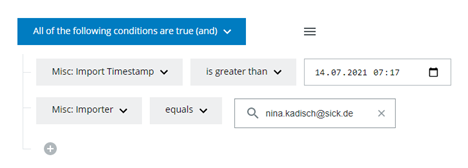
Filter for Misc: Import Timestamp greater than the time you imported the data.
You should also filter for your user to make sure you only see data that you imported and not data somebody else imported in the same time span:
I want to have suggestions for the values I put in a textfield. How can I change that?
When creating a new text field you can choose between regular text field and text field with suggestions.
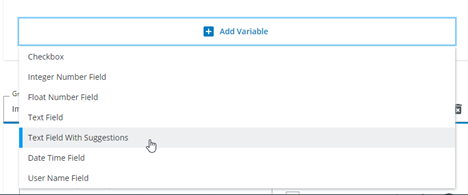
But you can always change any existing text field to a "text field with suggestions" on the edit page:

Attention! This only works if the text field has less than 200 different values. Please don't change fields like the original filename to a suggestion text field or the database will become really slow.
Import
How can I import presorted data?
Add annotations before importing the data. See Optional Annotations.
I encounter an error on import
If you encounter a message like
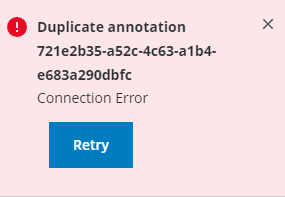
please make sure you have not set one of the automatic annotations during the import. You are not supposed to set "Misc: Importer", "Misc: Import Timestamp", "Misc: Original Filename", "Misc: Original Filepath" and "Misc: File Timestamp". These will be created automatically for every import.
I made a mistake and imported the wrong data. How can I fix this?
Filter for the uploader or the upload time or any other distinction to find the data that was imported in this faulty import.
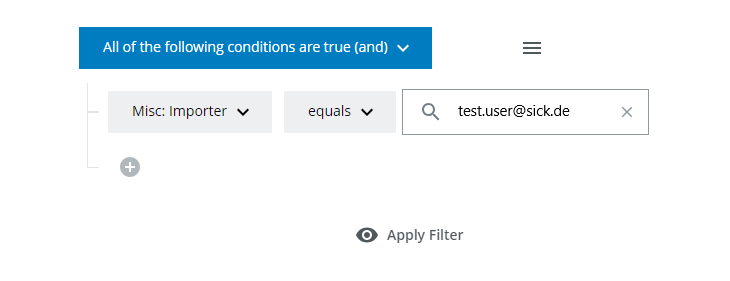
Apply the filter and delete all images and import them again.
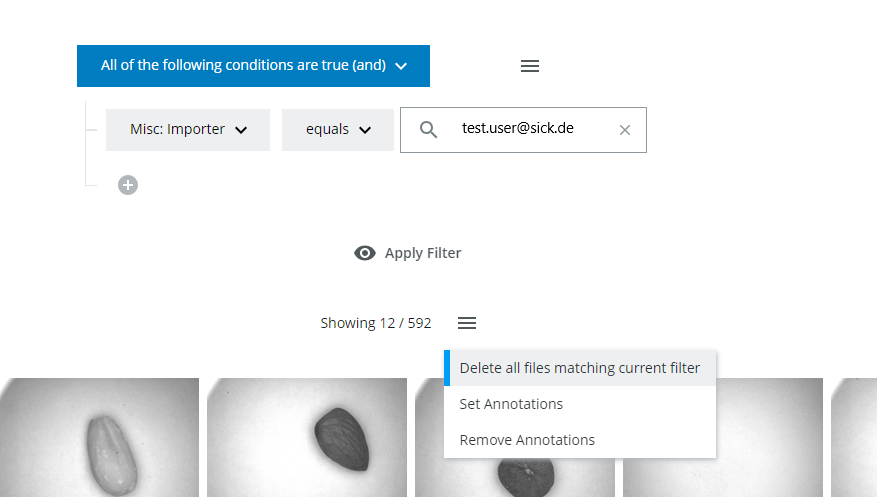
I imported data with annotations, but they were incorrect. How can I fix this?
Filter for the uploader or the upload time or any other distinction to find the data that was annotated incorrectly in this import.
Apply the filter and set the correct annotations. Be sure to overwrite any wrong annotations, see batch annotations.
Annotation
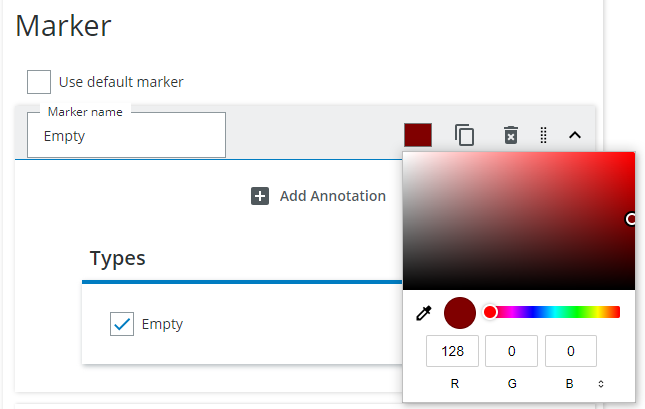
How can I change the color of markers in the grid job?
When creating a grid annotation job you can click on the color square and choose a color.
Why do I have to wait before my annotation job starts?
Data is preloaded in the background to give you a comfortable annotation experience. You will have to wait for a few seconds (or more if the images in the database are very large) but then you can start annotating.

How can I review already annotated images?
You have 2 possibilites:
Either filter in the browser and have a look at the specific images by clicking on them.
Or create an annotation job, add the variables you want to set and disable the "Only show images where at least one classification is missing" checkbox. You will have created an annotation job where you can reannotate all items.
Also have a look at the Review Jobs section if you are collaborating with other people in one domain.
How can I review images in the "Annotate Later" queue?
Click on the top left menu and choose the Annotate Later queue. Also choose "Show images for all users" if you want to review images that were annotated by other users.
Export
How can I make sure that specific images are exported into my test dataset?
Use an existing classification variable (or add a new classification variable to your domain, for example "belongs to test split") and annotate it as true for these images. Then add a filter to the test split. This only works in developer exports. Also see splits.
Tips and Tricks
How can I filter in lists?
OR search
To search for content that contains one of the terms, 'chalk' or 'cheese', use the operator OR in capital letters: chalk OR cheese
AND search
To search for content that contains both the terms 'chalk' and 'cheese', use the operator AND in capital letters: chalk AND cheese
NOT search
To search for content that contains 'chalk' but NOT 'cheese', use the operator NOT in capital letters: chalk NOT cheese
Exclude term search
To search for content that contains 'chalk' and 'butter' but not 'cheese': chalk butter -cheese
Wildcard search
-
Single character: To replace a single character in your search, use a question mark (?) as a wildcard, For example, to search for 'butter', 'bitter', 'better', or 'batter'. b?tter
-
Multiple characters: To replace multiple characters in your search, use an asterisk * as a wildcard. For example, to search for 'chicken' or 'chickpea': chick*
RegEx search
Enables searching via regular expression. Recommended for advanced users only!
Example:
- search for text parts "a" or "b" or "c" in a list of domains/exports/evaluations:
a|b|c
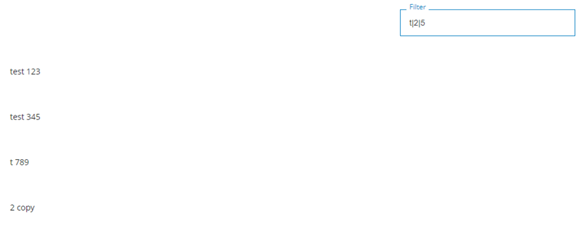
- search for text parts "a", "b" and "c" in a list of domains/exports/evaluations:
(?=.a)(?=.b)(?=.*c)

Trouble Shooting
Why can't I log in?
Do you have a SICK ID? If not, you can register here: Sick ID
What time zone is used for the annotations?
All annotation timestamps and import timestamps are in UTC. For Germany this means UTC + 1h (CET) in the winter and UTC + 2h (CEST) in the summer.